CATEGORIES
First steps
Frequently asked questions
News
Connection to the platform
Modules
Administration


First of all, only a person with Administrator access to the platform has access to the settings of a Pulse survey.
To schedule your Pulse survey, go to "Survey Management" in the Administration module. Here, by clicking on Create a new survey, you access the programming of a survey. You set up :

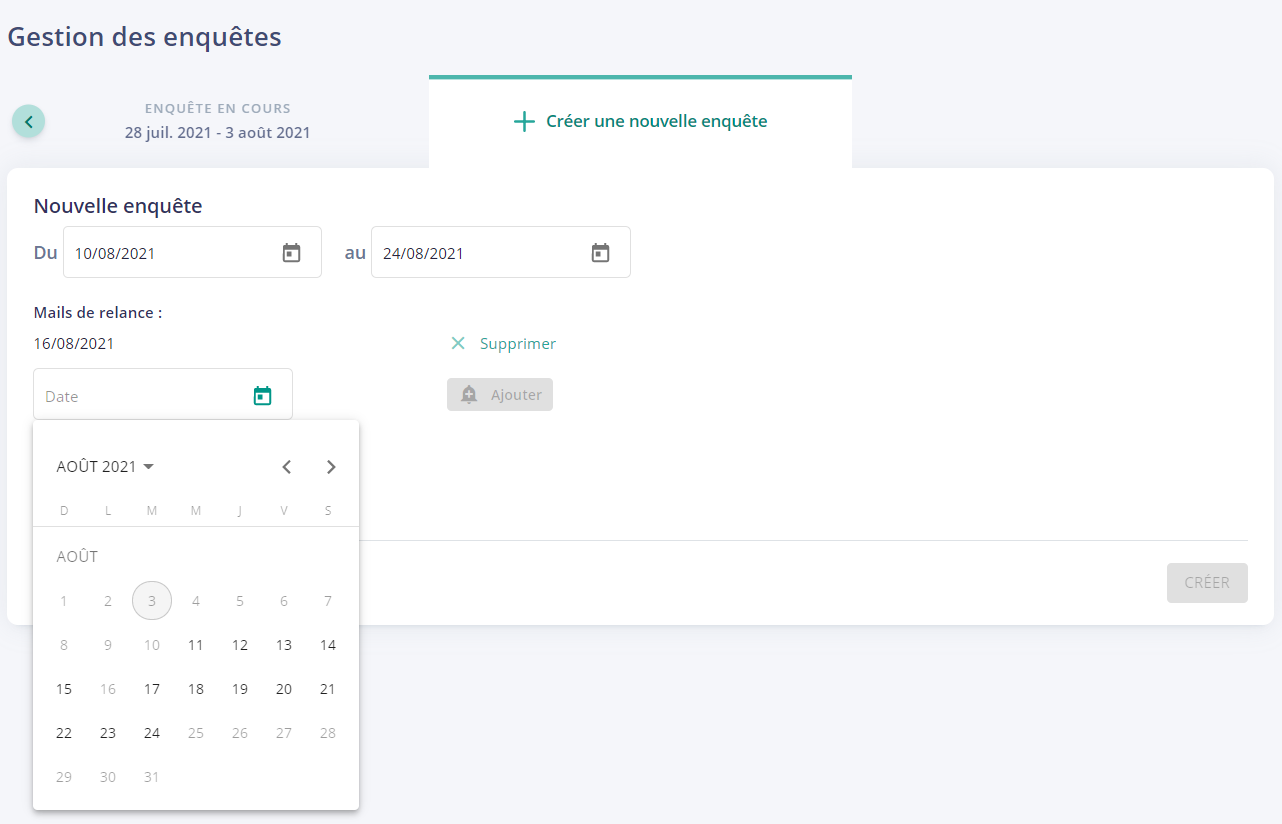

Once your survey is ready, you can click on "Create" to save it. Your survey will now appear as "Survey to come":

The survey is ready, it will be launched automatically on the specified date.
Before this date, you can still make a change if you wish. Just click on the "Edit" button and make the change.
Once the survey is opened, you cannot change anything in its settings: modify the participants, extend the end date, add a reminder date,...
You can schedule surveys over several months. To do this, simply schedule several surveys in a row by clicking again on "Create a new survey" and you will go through the same process of creating a survey.




